
Choosing a game engine
Indecision kills good ideas. It’s been six years and this game has continued to fill up my sketchbooks and thoughts. I’ve talked about gameplay with friends and talked to pilots and cabin crew about how to make it realastic.
In my professional life I’m a software engineer, and so trying to choose how to make the game has always been a frustration because I almost feel like I know too much and nothing at all all at the same time.
Trying game engines
I tried prototyping the game in Unity so many times, but just kept coming up against the same problem which is that Unity is fundamentally a 3D engine. Soon as I started to build out a scheduler the interface containers would get too complicated and the tree would be incomprehensive.
In a game engine world, each aircraft is an object (sort of) and it can only be in one place at any given time. But unlike many games, the object very much exists even when it’s not in the interface.
There are so many helpful tutorials for Unity that I though it would be the best way to get going, but it became so frustrating that I eventually gave up.
Godot
When I eventually had some time to focus again on it, I had come across Godot, which is a true 2D and 3D game engine. It has its own user interface components and the scripting langauge is Python-like, which is very easy to learn.
I made two different prototypes and got pretty far, much further than I had than with Unity. I prototyped one version with an in-game clock that could count up the game world’s time and control the speed. It felt pretty good and I felt like I’d finally found a way of building my game.
The problem I had with Unity then came back again – the interface got complicated again. It is easier to understand in Godot and the tree is a lot easier to navigate (I found at least). The containers are really flexible. The problem was that soon as I got to the issue of having a lot of different objects, trying to have control which parts of the screen re-render and when was too difficult to control.
I think Godot is an amazing engine and I’d love to build a game in it. If I was building a more traditional game with a map and a simple interface, it would be my first choice, and I’m excited to see what people do with it.
Taking it down a level
There’s a few JavaScript-based frameworks like Phaser and Three.js that are remarkable examples of what you can do in a web browser. Phaser comes close with its 2D engine, but is very much designed for platformers. (Also JavaScript isn’t the most fun language to work in when you’re mostly in an editor without many visuals. TypeScript does it make it more managable though.)
I’ve used various different languages over the years including Ruby, and I found DragonRuby after a while. It felt like I was getting much closer. I do enjoy Ruby for a lot of projects, but its lack of typing is a tad frustrating and I always find myself wanting that support when things get complex – if only simply to remember what I can do with an object. I think DragonRuby will be one to watch too as it has some great interface features like their grid system.
Is this the one?
Eventually I came across Ebitengine, a 2D game engine written in Go. Very grounded API with a lot of flexibility. The only downside was that it didn’t have many tools to make user interfaces with, however I quickly discovered Ebiten UI and finally started to feel like I could imagine building out the entire game with these tools.
Maybe I’ll end up choosing something else in the future, but as a way to get started, it’s perfect.
Vibe coding
I’ve been wanting to try out some kind of agent for a while, and this seemed like a great project to start it on. I tried out Claude Code to build out some of the scaffolding. I was impressed with how quickly it could build out some basic features, but terrified just how quickly it created technical debt. I feel like after an hour I had about four hours of debt to pay off.
(The main issue was that as it lost context, it couldn’t
refactor easily. Ask it to change a magic number it had
scattered everywhere into a const and it
started to grep its way around the files trying
to find anything matching 100, which ended up
causing more problems.)
I’ll continue to play with it, but it became more of a hindrance than helpful for the time being.
Dealing with dates
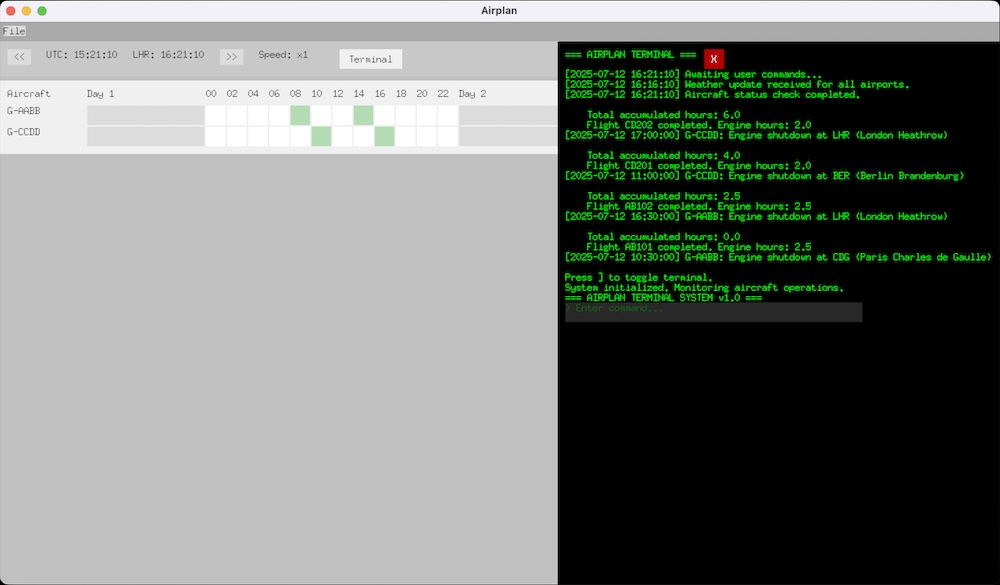
After a lot of trial and error I managed to get an in-game clock working that I hope will carry me through development. The basic premise is not that novel, the game starts at 0 seconds as its epoch, at the start of Year 1, and then counts from there.
Because most date libraries have to account for things like leap years (and seconds!), I wanted to avoid having to deal with that headache. Maybe I’ll try and attempt it for version 2, but for now I just want to get a game shipped. Not disimilar to other games that manage their own calendar, I’ve chosen each month to have 28 days. 28 divides by 7 without a remainder, so it’ll help players plan out a two-week schedule knowing that certain flights can leave every-other Monday. This isn’t how the real world works and I hope it doesn’t break immersion too much – but I have a feeling it’ll help enormously to actually enjoy playing the game.
I chose to store each game’s epoch as a uint64,
which is the largest sensible unsigned integer you can use;
up to 18,446,744,073,709,551,615. This as seconds gives you
584,942,417,355 years (plus 3 weeks 5 days 7 hours and 15
seconds) of playable time. That does feel like it should be
enough. Every time I try and work out the maths of if that
looks right everything points to yes, so I think I’ll park
it for now.
I did play around with the idea of using an era value that
would start at 1 and then increment each time
the epoch overflowed, but that seems a little crazy that
someone might play for 584,942,417,355 in-game years. (Then
again after reading about a Civilization II save called
Eternal War, I thought anything could happen. Then I realised even
that had only got to 1,700 in-game years.)
func (g *Game) AdvanceTime(seconds int64) {
	newEpoch := g.Epoch + uint64(seconds)

	// Check for overflow (when new value is less than old value)
	if newEpoch < g.Epoch {
		g.Era++
		g.Epoch = newEpoch
	} else {
		g.Epoch = newEpoch
	}
}
You could write that more neatly, but you get the idea. For now I’ve stripped it out to reduce complexity, it wouldn’t be too hard to add in later.
As I’m using my own calendar system, I can’t use any of the
standard libraries, so I’ve had to build my own system for
fetching the time. For simplicity’s sake at the moment
everything is uint64 but I can reduce them down
to free up memory (although I feel like that won’t be the
bottleneck).
const (
	SecondsPerMinute = uint64(60)
	MinutesPerHour   = uint64(60)
	HoursPerDay      = uint64(24)
	DaysPerMonth     = uint64(28)
	MonthsPerYear    = uint64(12)

	SecondsPerHour  = SecondsPerMinute * MinutesPerHour
	SecondsPerDay   = SecondsPerHour * HoursPerDay
	SecondsPerMonth = SecondsPerDay * DaysPerMonth
	SecondsPerYear  = SecondsPerMonth * MonthsPerYear
)

func (g *Game) GetGameHour() int {
	daySeconds := ((g.Epoch % SecondsPerYear) % SecondsPerMonth) % SecondsPerDay
	return int(daySeconds / SecondsPerHour)
}
Choices, choices, choices
I also took a moment to make a basic menu.
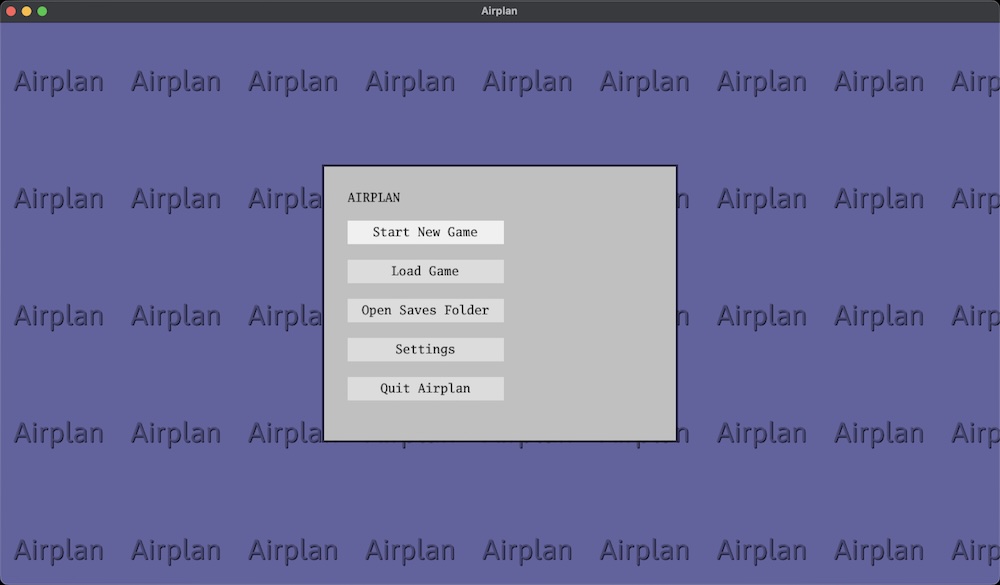
Just as I was working on this, a release had been put out for Ebiten UI to handle themes – which made me think about having light and dark modes. I think in the reality of my game world in the 1990s, you’d only have a light mode – but a dark mode could be pretty nice.
Moodboard
And speaking themes and the reality of the game world, the next topic I want to go into is some more of the inspiriation for what I’m trying to build. A kind of moodboard for the style of the game. Hopefully it won’t take me 6 years to write that one though.